
These are the recommended minimum restrictions settings for use with the CloudVeil Browser for iOS (CV4i).
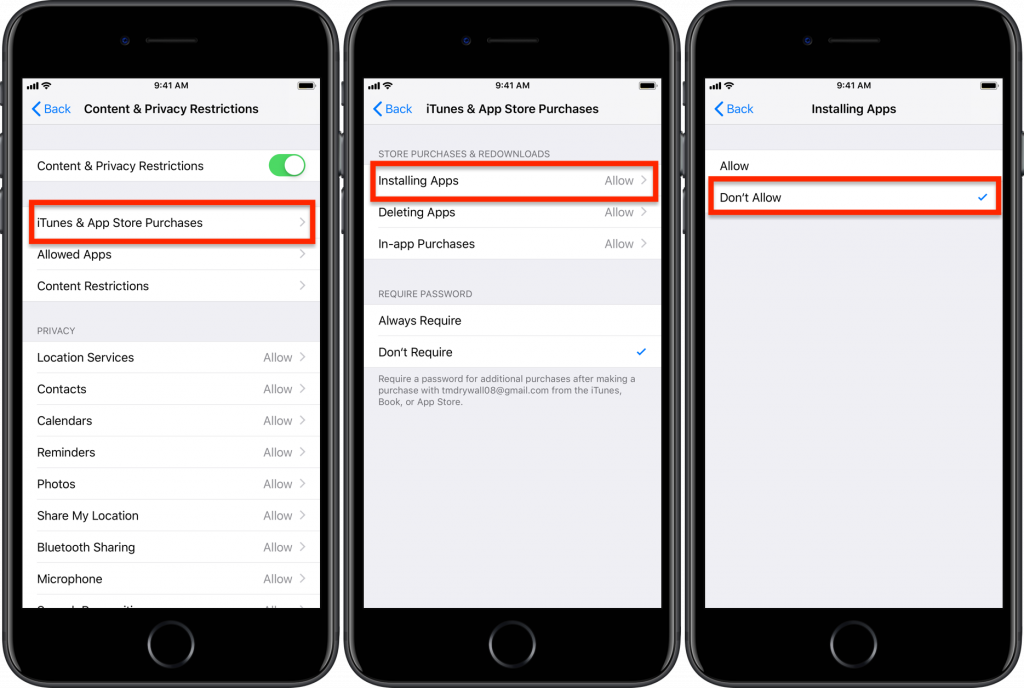
Safari needs to be turned off, and Installing Apps should either be off, or set to an age rating lower than 17+.
Set the Restrictions Passcode
- Go to Settings > Screen Time > Turn On Screen Time, & click Continue.
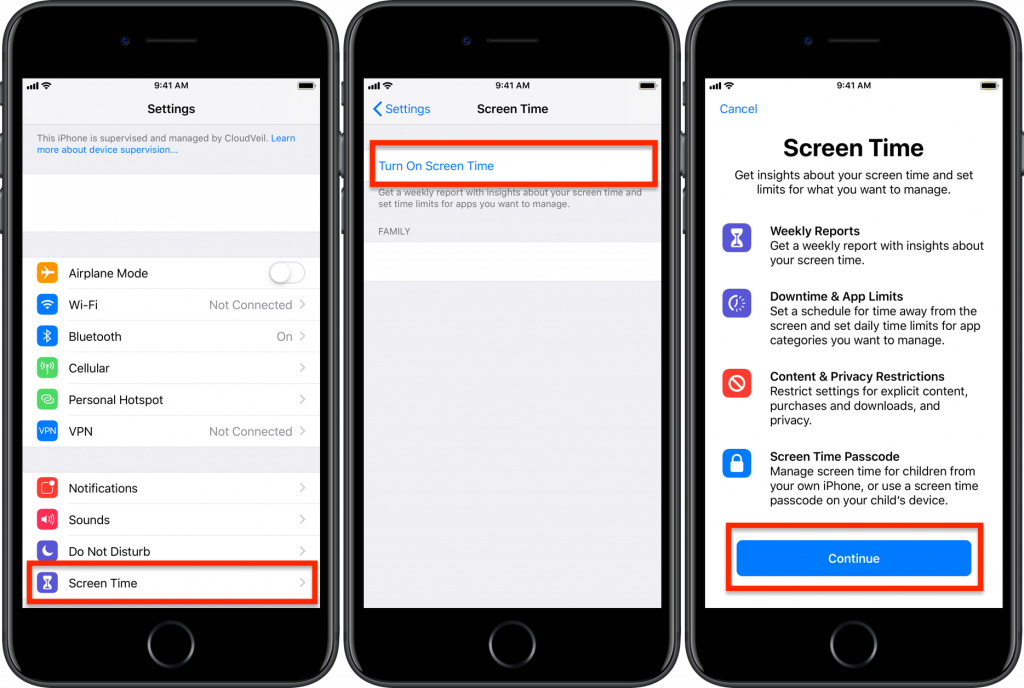
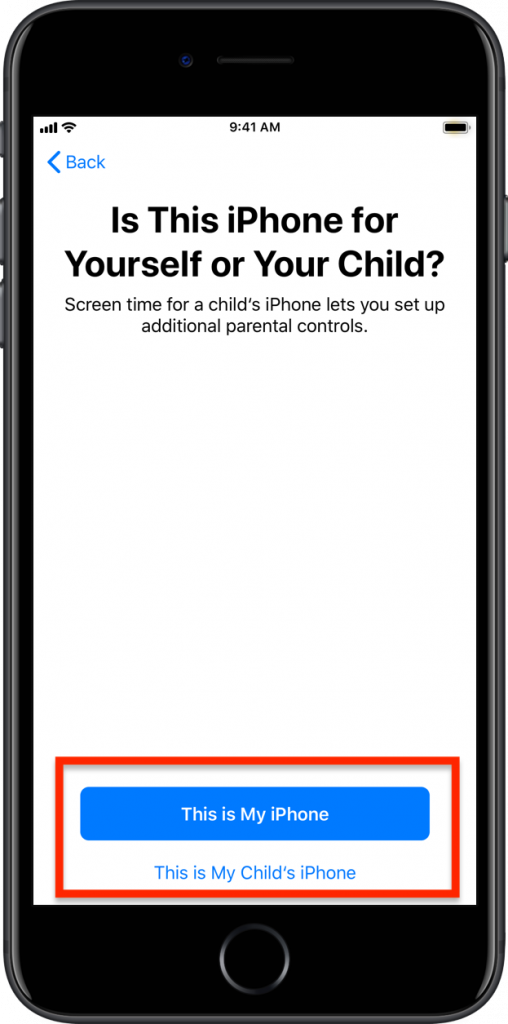
- Choose whether this is your child’s iPhone or your own. (If this is your child’s iPhone, you can manage these settings thru Screentime on your own iPhone once you have enabled Family Sharing.)
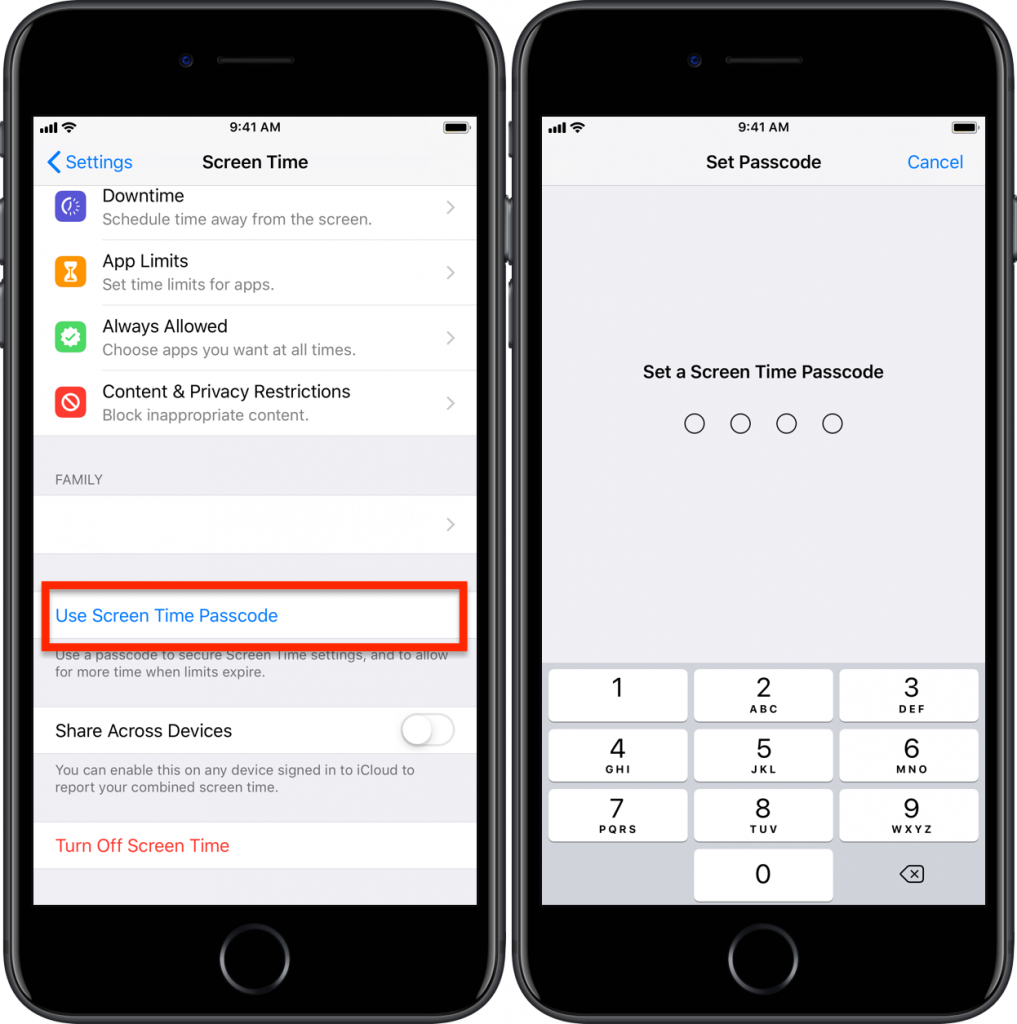
- Then choose Use Screen Time Passcode and set a passcode.
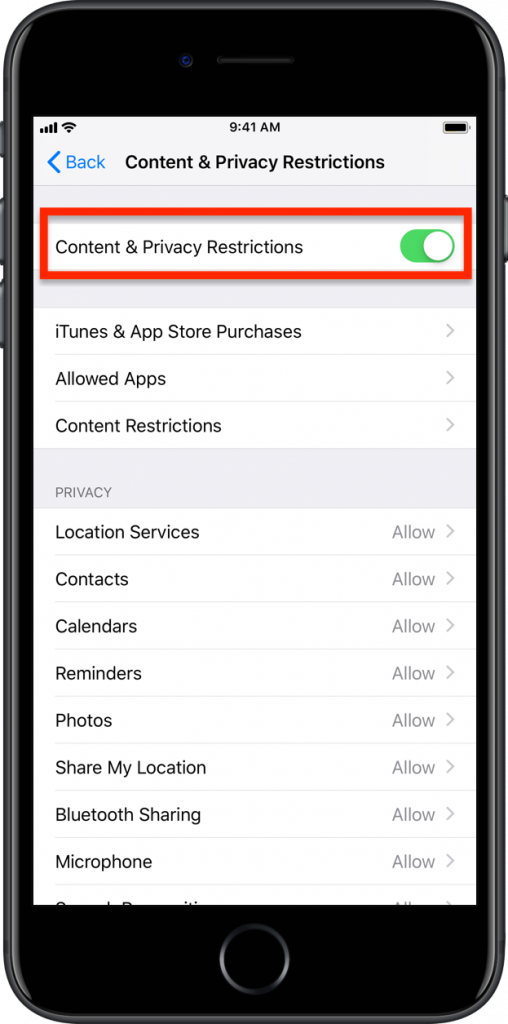
Turn on Content Restrictions
- Settings > Screen Time > Content & Privacy Restrictions > Content and Privacy Restrictions > ON.
Restricting the App Store
- The App Store can be locked by setting Installing Apps to Don’t Allow in the Settings > Screen Time > Content & Privacy Restrictions > iTunes and App Store Purchases
Restricting Apps
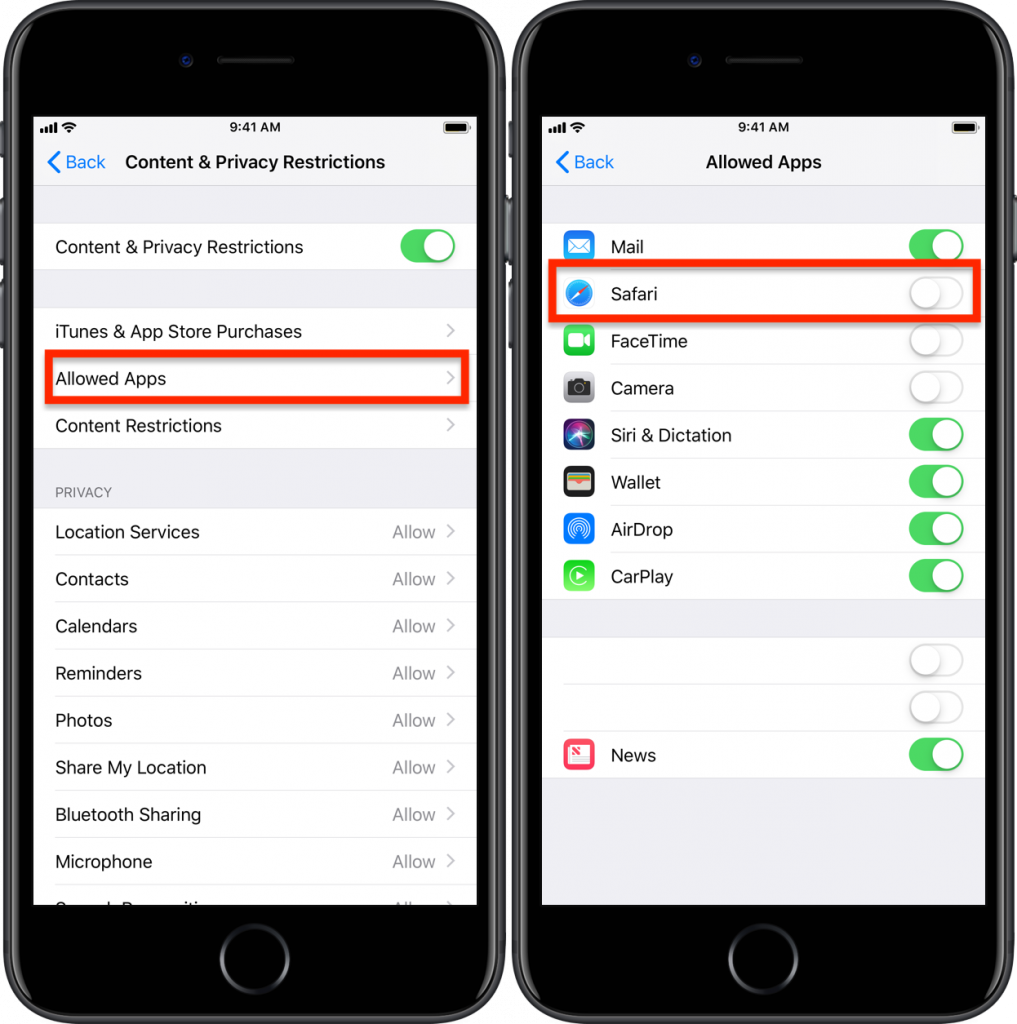
- Safari needs to be turned OFF in Settings > Screen Time > Content & Privacy Restrictions > Allowed Apps > Safari > OFF.
- You can also disable Camera, Facetime, News, and other apps from here.
Setting Content Restrictions
- Settings > Screen Time > Content & Privacy Restrictions > Content Restrictions
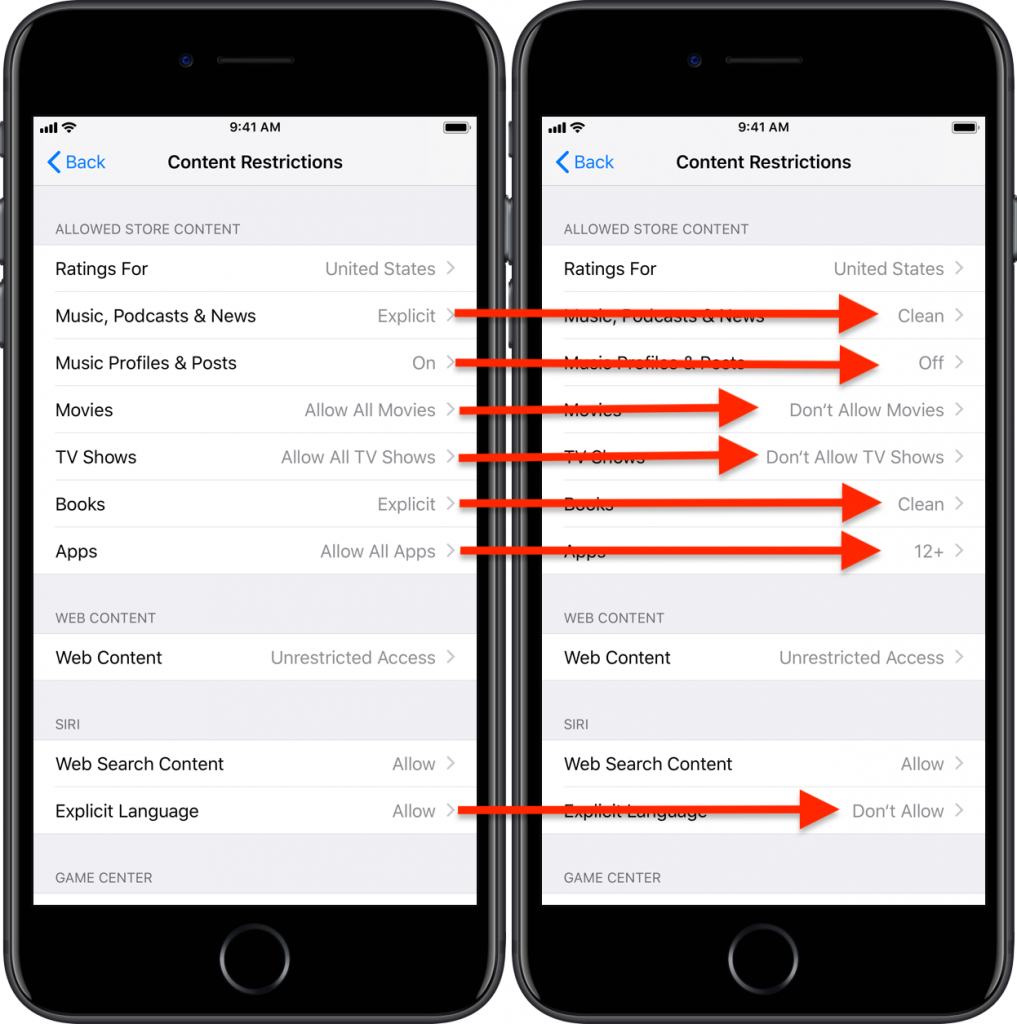
Music, Podcasts, & News:
Music Profiles & Posts:
Movies:
TV Shows:
Books:
Apps:
Explicit Language
Clean
Off
Don’t Allow Movies
Don’t Allow TV Shows
Clean
12+ or lower. (Mosts apps rated 17+ will allow unrestricted web access.)
Don’t allow